CQRLOG for web is now available
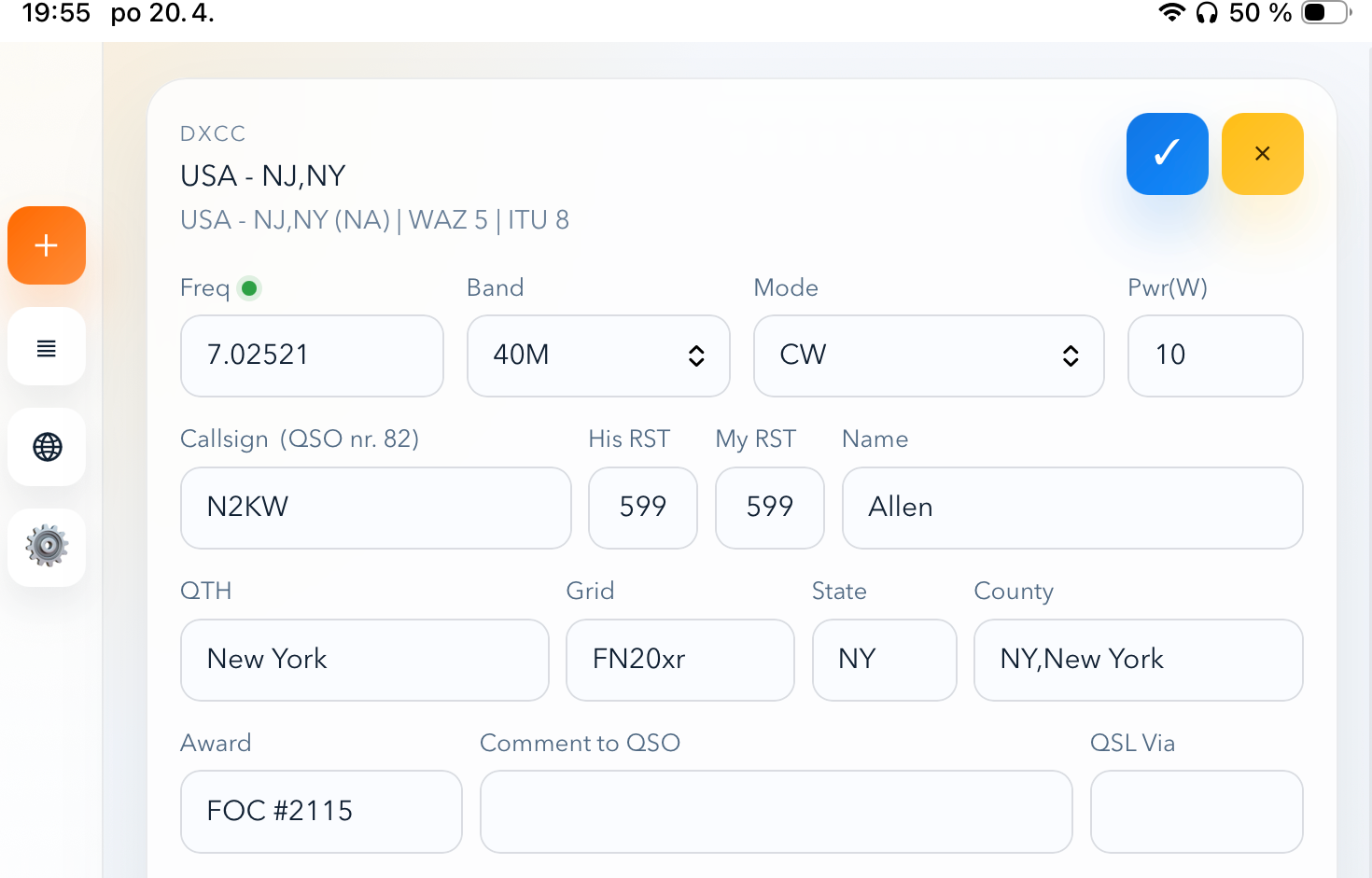
I’ve released CQRLOG for web — a browser-based logging interface that connects directly to your existing CQRLOG desktop database.
It is mainly intended for existing CQRLOG users who want a more convenient logging interface on a tablet or in a web browser.
The project was built mainly for portable operation. I wanted a simple way to log QSOs directly into my main log while using a tablet in the field. Whether it is a WWFF or GMA activation, or just a casual trip with a rucksack, an Elecraft KX2, a battery, a paddle, and an EndFed antenna, this is exactly the kind of operating style I had in mind.
A few years ago, I created an early web version of CQRLOG, but it was really just a concept. It supported basic QSO logging, had some awkward bugs, and was not ready for public release. This new version is a complete rewrite and the first one I’m happy to publish.
CQRLOG for web is not a standalone logger. It is designed as a companion interface for operators who already use the desktop version of CQRLOG. Features such as LoTW/eQSL upload, multi-editing, and statistics are still available only in the desktop application.
Many things work the same way as in the desktop version of CQRLOG, including the field layout, arrow-key navigation between inputs, automatic capitalization of name and QTH, and the familiar way signal reports are entered.
The web interface can also read frequency and mode from Elecraft KX2/KX3 radios, and possibly selected Kenwood radios, using my other project, Pico radio gateway. The output format is intentionally simple, so it is possible to build your own interface for radios that are not supported yet.
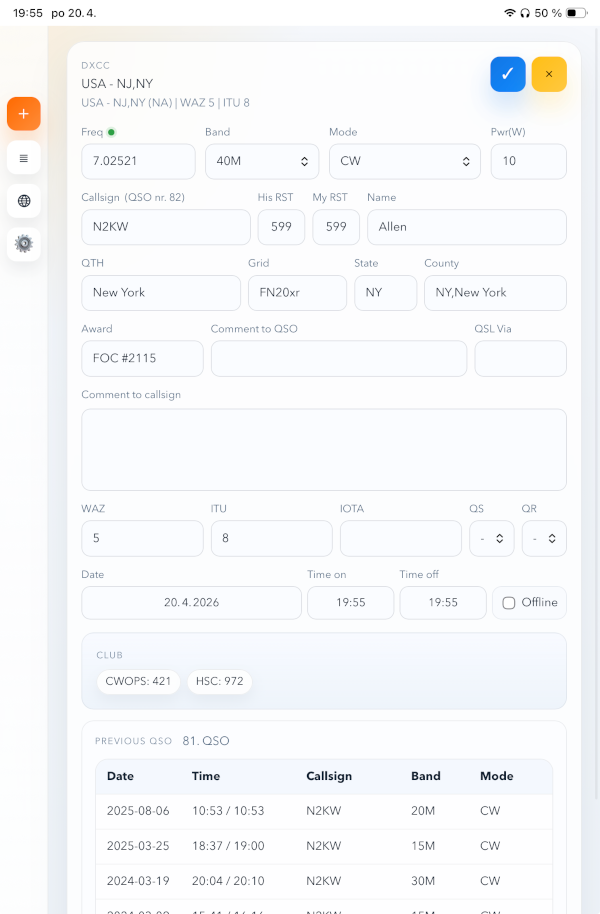
The interface is optimized for iPad Mini in portrait mode, which is the reference device I use for portable operation.
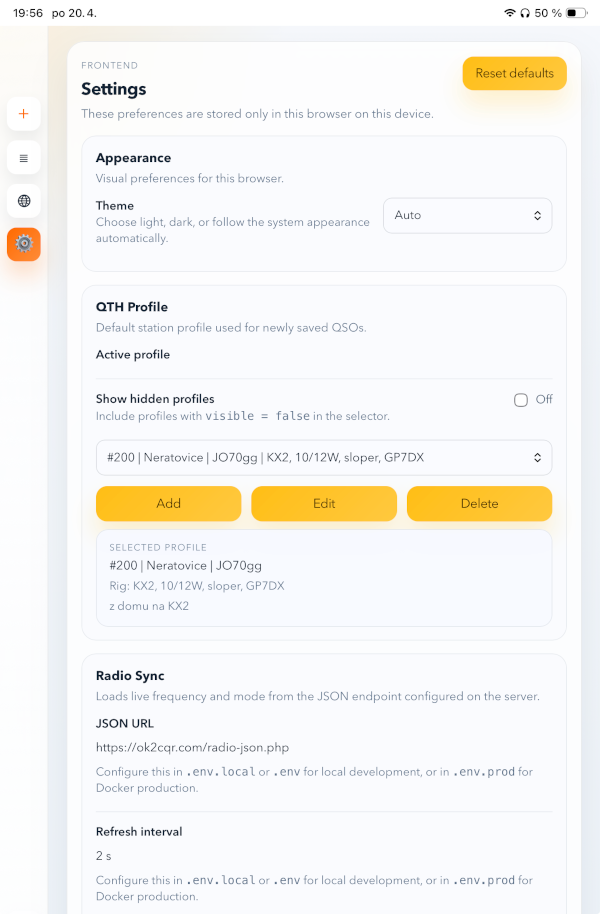
Screenshots
Features
Logging
- Full QSO entry form: callsign, frequency, band, mode, RST, name, QTH, grid, power, date/time, remarks, QSL status, IOTA, WAZ, ITU, state, county, and award
- Automatic real-time clock with date, time on, and time off updating every second
- Offline mode for manual date/time entry when logging past QSOs
- QSO duration timer
- Band automatically derived from frequency
- Mode-dependent default RST values (599 for CW, 59 for SSB/digital)
- Keyboard navigation through fields using arrow keys
- Space jumps from callsign to RST
- Double Escape clears the form
Callsign lookup and autofill
- DXCC lookup via HamQTH (country, continent, WAZ, ITU)
- Autofill from previous QSO history: name, QTH, grid, award, QSL via, state, county, and IOTA
- Club membership display (up to 5 slots, using configuration from the desktop version of CQRLOG)
- Previous QSO history table for each callsign
- Per-callsign notes that persist across QSOs
QSO list
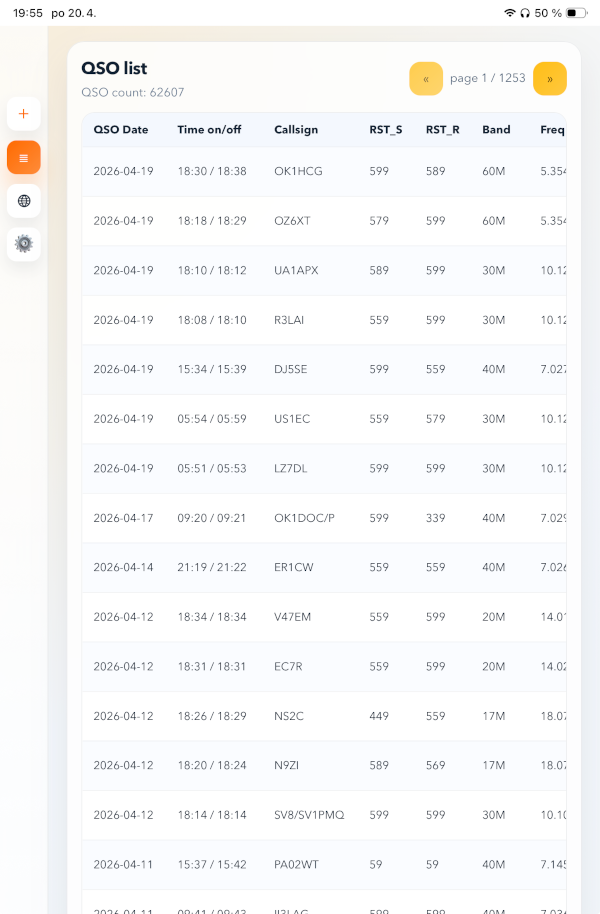
- Paginated QSO list with editing support
- Edit modal with full field access and live DXCC re-lookup when the callsign changes
DX Cluster
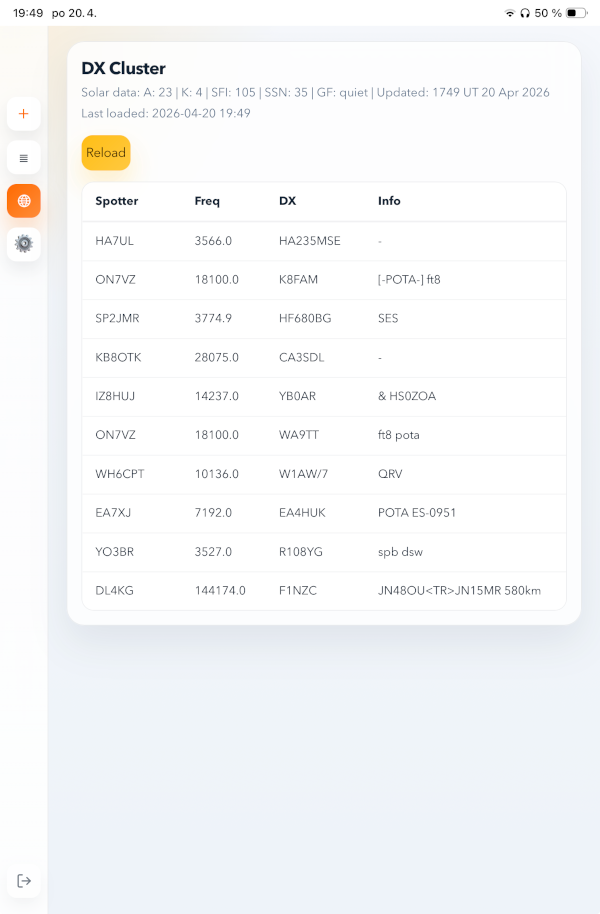
- Live DX Cluster feed from HamQTH with automatic refresh every 20 seconds
- Solar data display: A index, K index, SFI, SSN, and geomagnetic field
Radio sync
- Live frequency and mode sync from your radio via Pico radio gateway
- Online/offline status indicator
- Configurable polling interval
QTH profiles
- Multiple profiles for locator, QTH, rig, and remarks
- Profile visibility toggling
- Active profile selector
Settings and UI
- Dark mode (auto, light, dark)
- Tablet-optimized layout with iPad Mini portrait as the reference device
- Responsive design for desktop and mobile
- Czech keyboard transliteration (accented characters on the number row converted to digits)
- Session-based authentication with configurable idle timeout
- Band, mode, frequency, and power remembered across sessions
Technical details
- Connects directly to your existing CQRLOG MariaDB database, with no migration and no data duplication
- Single Docker container for production deployment
- REST API backend built with PHP/Symfony and React frontend
- Frontend and API served from the same origin
How to install
Installation is described in detail in the `README.md` file in the GitHub repository, but the basic idea is simple.
You need an existing CQRLOG MariaDB database, a server with Docker Compose, and a few production settings such as the application URL, login credentials, and database connection details.
In short, the installation process looks like this:
- Clone the repository to your server.
- Create your production configuration file from `.env.prod.example`.
- Fill in the required values, especially database connection settings, app URL, and login credentials.
- Make sure your existing CQRLOG database is reachable and already contains the required schema.
- Start the application using
make prod. - Open the web interface in your browser and verify that everything is working.
If you are running the application behind Apache or another reverse proxy, you can publish it on your own hostname and proxy requests to the application container.
For the exact steps, configuration options, and verification commands, please check the README.md file in the GitHub repository.
Source code
Source code is available on GitHub:
– CQRLOG for web repository – https://github.com/ok2cqr/cqrlog-web
– Pico radio gateway – https://github.com/ok2cqr/pico-radio-gateway
Detailed installation instructions are available in the README.md file in the GitHub repository.
Final note
I built this project primarily for my own portable operating, but I hope it will also be useful to other CQRLOG users who want a modern web interface for logging QSOs in the field.
If you try it, I’ll be happy to hear how you like it, how it works for you, and whether it fits your operating style.